

Print manuals guide users through complex processes, combining clear visuals, concise text, and consistent layout. They ensure compliance, training, and support across industries, making information accessible and reliable;
It supports training, quick reference, and compliance, boosting productivity.

Planning Your Manual
Before you begin drafting, define the manual’s purpose, target audience, and scope. Identify the key tasks the manual will support, the level of detail required, and the technical proficiency of its readers. A clear scope prevents scope creep and keeps the project on schedule.
Next, create a detailed outline. Break the manual into logical sections—introduction, prerequisites, step‑by‑step procedures, troubleshooting, and appendices. Assign page limits to each section to maintain consistency and control printing costs.
Gather subject‑matter experts early. Their insights shape accurate content and help validate technical details. Establish a review cycle: draft → expert review → design review → final approval. This iterative process ensures accuracy and usability.
Consider the format and layout early. Decide on paper stock, binding type, and finishing options such as matte or glossy coatings. These choices affect both cost and the manual’s durability in field use.
Finally, build a realistic timeline and budget. Include milestones for content creation, design, proofing, and printing. Allocate contingency funds for revisions or additional print runs. A disciplined plan leads to a polished, cost‑effective manual that meets user needs.
FedEx Office offers binding services now

Manual Design Principles
Designing a print manual demands a balance between visual appeal and functional clarity. Start with a consistent grid system that aligns text, images, and white space, ensuring each page feels cohesive. Use a limited color palette—typically two or three colors—to reinforce brand identity while keeping the layout readable. Typography is critical: choose a legible serif or sans‑serif for body text, reserve a contrasting typeface for headings, and maintain consistent font sizes across sections. Margins should be generous to accommodate binding and to prevent content from feeling cramped.
Visual hierarchy guides readers through the manual. Large headings capture attention while subheadings and bullet points break complex instructions into digestible chunks. Incorporate high‑resolution graphics and screenshots that illustrate steps; avoid decorative images that distract. Consistent iconography and a clear legend help users locate related information quickly.
Use tables sparingly, only when data comparison or step sequencing benefits from a structured format. Ensure tables have descriptive captions and accessible color contrast. Add call‑out boxes or sidebars that highlight critical warnings or tips. These design elements draw the eye and emphasize importance without cluttering the main flow.
Finally, test the layout on print and digital previews. Verify bleed, trim, and gutter match the chosen binding—FedEx Office offers saddle‑stitch and perfect‑bound options. Proof the PDF on a sample run to catch misalignments before mass production!!

Content Development
Developing the textual backbone of a print manual starts with a clear scope statement that outlines the purpose, audience, and key deliverables. Gather subject‑matter experts (SMEs) early; their insights shape accurate, actionable content. Use a modular approach: break the manual into logical sections—introduction, prerequisites, step‑by‑step procedures, troubleshooting, and appendices. Each module should follow a consistent structure: a concise title, a brief overview, numbered steps, and a summary of expected outcomes.
Incorporate visual aids—screenshots, diagrams, and flowcharts—to complement written instructions. Label each graphic with a descriptive caption and reference it in the text (e.g., “See Figure 2 for the configuration screen”). Maintain a style guide that dictates tone, voice, and terminology to ensure uniformity across sections. Use active voice, present tense, and simple sentences to enhance readability.
After drafting, conduct a peer review cycle: subject‑matter experts validate accuracy, while editors focus on clarity and consistency. Implement a version‑control system so changes are tracked and previous iterations preserved. Finally, proof the final draft against the design mock‑up to confirm that content fits within the allocated space and aligns with the visual hierarchy. This approach ensures that every section is coherent, easy to navigate, and ready for the next stages of design and production. All content is archived in a repository for updates.
Effective layout turns a dense manual into an intuitive guide. Begin by defining a master page that sets margins, gutter, and baseline grid; this ensures consistent spacing across all pages. Keep the gutter wide enough to accommodate binding without cutting off content.
Typography is critical: choose a legible serif for body text, and a clean sans‑serif for headings (e.g., Garamond or Times New Roman) at 10–12 pt, and use line‑height to 1.4–1.6 to improve readability.
Visual consistency is achieved through a limited color palette—black for text, a muted blue for hyperlinks, and a subtle gray for borders. All graphics should be high‑resolution (300 dpi) and exported in CMYK to match print output. Align images to the grid, and wrap text around them using the “tight” wrap style to preserve white space.
Page numbering should appear in the footer, centered or right‑aligned, and include a running header with the manual title. Use section breaks to reset page numbers for appendices. Finally, create a PDF/X‑4 compliant file, embed fonts, and verify that all links and bookmarks function before sending to the printer. This disciplined approach guarantees a professional, user‑friendly manual that meets quality standards. Adhering to these layout guidelines ensures the manual is visually appealing and functional, enabling users to locate information quickly and follow procedures confidently !

Proofreading and Revision
Before any print run, a meticulous proofreading cycle safeguards accuracy and professionalism. Begin with a copy‑editing pass that checks grammar, punctuation, and consistency of terminology—especially for technical terms that must match the manual’s style guide. Use a dedicated style sheet to enforce consistent heading levels, bullet styles, and numbering formats.
Next, perform a layout review: confirm that images are correctly positioned, captions are accurate, and that no text is clipped by binding margins. Verify that all cross‑references, tables of contents, and index entries link to the correct pages. A “dry run” PDF should be printed on a test sheet to catch any font substitution or color shifts that may occur during final printing.
Engage subject‑matter experts to validate content accuracy. Their feedback often reveals missing steps or ambiguous instructions. Incorporate their revisions and re‑run the proof. Finally, conduct a final quality check against the original specification, ensuring that the manual meets all client requirements before sending it to the printer. This rigorous process reduces costly re‑prints and guarantees a reliable, user‑friendly manual.
The final proofreading step often involves a peer review, where colleagues cross‑check instructions against real‑world scenarios. This collaborative scrutiny catches subtle errors, such as mislabelled diagrams or inconsistent terminology. By integrating feedback loops, the manual evolves into a polished, authoritative resource that users can trust in high‑stakes environments. Peer validation consistency.!

Printing Options
Print manuals can be produced via digital or offset methods. Digital printing offers quick turnaround and cost‑effective small runs, while offset delivers superior color fidelity and durability for large volumes. FedEx Office provides full‑color, specialty finishes, and binding options to suit any project.!!
Digital Printing: Speed and Cost-Effectiveness
Digital printing leverages high‑speed inkjet and laser technologies, enabling rapid production of full‑color manuals. With on‑demand workflows, turnaround times can be as short as a few hours, making it ideal for tight deadlines. The absence of plate‑making and setup costs reduces per‑unit expenses, especially for runs under 500 copies. FedEx Office’s digital service supports a range of paper weights and finishes, from matte to glossy, and offers instant proofing through online previews. Customers can upload PDFs, adjust bleed settings, and receive accurate cost estimates before printing. Because digital presses use variable‑data printing, each page can be customized without extra cost, a feature valuable for multilingual or region‑specific editions. The energy consumption of digital presses is lower than traditional offset, contributing to a smaller carbon footprint. Additionally, digital output allows for rapid revisions; a corrected page can be re‑printed without re‑setting the entire job. For organizations requiring frequent updates, digital printing provides flexibility and scalability, ensuring that manuals remain current without significant downtime or expense.
Digital presses operate at speeds up to 1,200 pages per hour, enabling quick order fulfillment. Their on‑demand nature cuts lead times, making updates easier. The cost per copy drops as volume rises, and variable data printing lets each manual be tailored to specific audiences without extra setup.!!
Offset Printing: High-Quality and Bulk Production
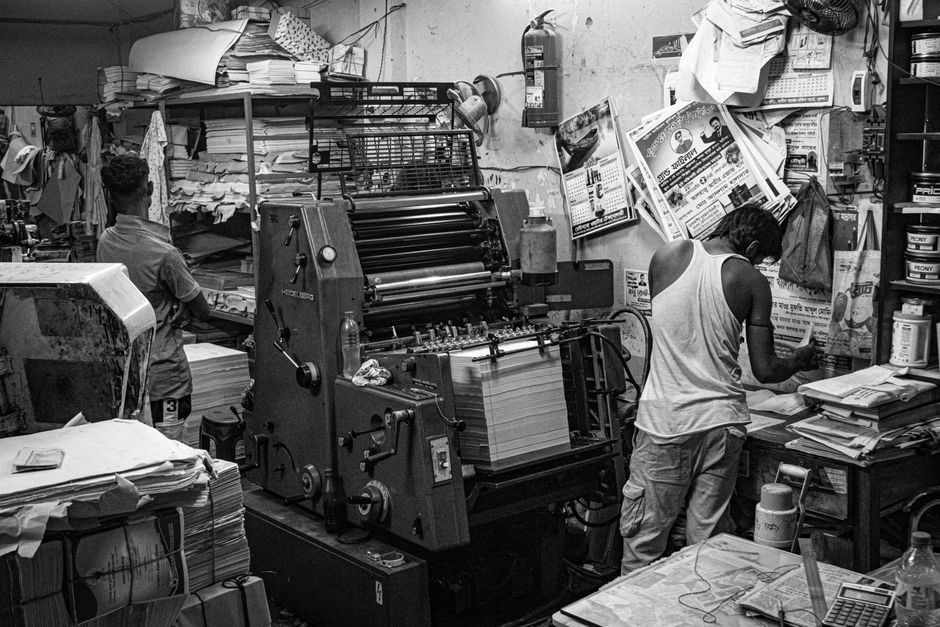
Offset printing remains the gold standard for large‑volume manuals, delivering superior image fidelity, consistent color reproduction, and a professional finish that digital presses cannot match. By transferring ink from a plate to a rubber blanket and then onto paper, offset ensures sharp text, crisp graphics, and a smooth surface even on heavy stock. The process is ideal for runs exceeding 1,000 copies, where economies of scale reduce the cost per unit dramatically. FedEx Office’s offset service offers a wide selection of premium paper grades, from 80 lb text to 120 lb cover stock, and supports specialty finishes such as foil stamping, spot UV, and embossing. Because plates are pre‑made, the setup time is longer than digital, but the resulting prints boast a depth of color and a matte or glossy sheen that is difficult to replicate digitally. The CMYK process allows precise color matching, essential for brand‑consistent manuals. Offset presses can handle larger sheet sizes, allowing for oversized manuals or custom layouts that require more space. The durability of offset prints makes them suitable for field‑ready manuals that will be handled frequently, ensuring that images and text remain legible over time. For organizations that need a polished, high‑impact manual in bulk, offset printing provides the quality, consistency, and cost efficiency that professional documentation demands. Additionally, offset printing supports high‑resolution halftone imaging, producing fine detail that enhances technical diagrams. The press can also accommodate special inks, such as metallic or high‑gloss, adding visual appeal. With a typical lead time of 3–5 business days, offset production balances speed with the premium quality required for training guides, safety handbooks, and regulatory documents.
Moreover, offset printing’s environmental footprint can be mitigated through the use of recycled paper and water‑based inks, aligning with sustainability goals. The finished manuals often feature a professional feel that enhances credibility and user confidence. In addition, the ability to print on thick cardstock and incorporate binding options such as perfect binding or saddle‑stitching ensures that manuals withstand frequent handling. The precise registration of offset presses also reduces color shifts, maintaining brand integrity across all copies. Finally, offset printing offers a competitive advantage for organizations that require consistent, high‑volume production while keeping unit costs low, making it the preferred choice for many large‑scale documentation projects.

Finishing and Binding
For durability, choose high‑grade paper consider UV coating to resist fading. Edge‑banding protects corners, while spiral binding allows users to flip pages without strain. These finishing touches ensure the manual not only informs but also impresses stakeholders. Construction ensures longevity and tough in settings.
Distribution Strategies
Choosing the right distribution channel is critical for ensuring that your print manual reaches its audience efficiently and cost‑effectively. FedEx Office provides a range of shipping options, from same‑day delivery to international freight, allowing you to match service level with customer expectations. By creating a user account, you can access past orders, save designs, and apply shipping accounts, streamlining repeat orders and reducing administrative overhead. For large‑volume orders, consider bulk shipping discounts and consolidated freight to lower per‑unit costs. Additionally, leveraging FedEx’s online portal enables you to track shipments in real time, providing transparency to both you and your recipients. When distributing manuals to field technicians, a durable, tamper‑evident packaging solution protects the content during transit. For corporate clients, offering a signed delivery confirmation adds an extra layer of accountability. Finally, integrating your distribution workflow with inventory management systems ensures that you maintain optimal stock levels and can quickly replenish manuals as demand fluctuates.
By integrating digital order forms and automated print‑on‑demand services, you can reduce lead times and inventory costs. FedEx Office’s API allows real‑time status updates, while their secure shipping labels ensure compliance with corporate security policies. These tools empower you to scale distribution without sacrificing quality or control. Customers value ready‑to‑ship manual within 24 hours, and tracking shipments boosts trust.

Quality Assurance
Quality assurance for print manuals is a multi‑step process that begins with a rigorous pre‑press review. Every page is checked for typographic consistency, image resolution, and color accuracy. FedEx Office’s online platform allows designers to upload PDFs and run automated checks that flag issues such as missing fonts or low‑resolution graphics. Once the file passes the digital review, a physical proof is printed on the same stock that will be used for the final run. This proof is inspected for ink density, bleed accuracy, and paper texture. Color calibration is performed against a standard G7 target to ensure that the final product matches the intended hues. During the binding phase, FedEx’s range of finishing options—spiral, perfect, or saddle‑stitch—are evaluated for durability and alignment. The finished manual is then subjected to a final audit that includes a tactile check for smoothness, a visual scan for any mis‑registration, and a functional test of any included QR codes or barcodes. Only after all these checks are satisfied does the manual proceed to shipment. This disciplined approach guarantees that every copy delivered to the end user meets the highest standards of clarity, durability, and professional presentation. By adhering to these rigorous standards, organizations can reduce reprint costs, enhance user satisfaction, and maintain brand integrity across all printed materials, ensuring that each manual not only informs but also reflects the company’s commitment to quality. Such meticulous attention to detail also streamlines compliance audits and supports continuous improvement initiatives. All these steps culminate in a reliable, professional manual ensuring consistency across all editions!

Cost Management
Effective cost management for print manuals hinges on a clear budgeting framework that aligns with the organization’s communication goals. Start by defining the required quantity; FedEx Office’s online calculator estimates per‑unit cost based on page count, paper weight, color choices, and binding style. Bulk orders unlock volume discounts, while digital printing offers lower upfront rates for smaller runs, reducing waste. Paper selection is a major cost driver—standard 20‑lb white stock is economical, whereas premium 24‑lb or recycled options increase price but may justify brand positioning. Color printing multiplies cost; opting for black‑and‑white for text‑heavy sections can cut expenses without sacrificing readability. Binding choices also affect budget: spiral binding is cheapest for long manuals, while perfect binding delivers a professional look at a higher price. Finishing options—such as matte or glossy lamination—add value but should be reserved for high‑impact pages. Leveraging FedEx Office’s “Starter Kits” can bundle services at a discounted rate, especially for first‑time customers. Additionally, pre‑press proofing eliminates costly reprints; the platform’s automated checks flag issues before the physical proof stage. Finally, consider distribution channels: digital delivery of PDFs can reduce printing volume, while targeted physical copies preserve cost efficiency for key stakeholders. By systematically evaluating each variable—quantity, paper, color, binding, and finishing—organizations can optimize print manual budgets while maintaining quality and brand consistency. Negotiating with suppliers and taking advantage of seasonal promotions can lower material costs by up to 15%, ensuring a more favorable budget without sacrificing quality. Adopting a digital‑first strategy for internal training manuals reduces print runs by 70%, yielding substantial savings while maintaining accessibility. Even minor layout tweaks help.
and Next Steps
In closing, a well‑crafted print manual serves as a cornerstone for operational excellence, bridging the gap between complex procedures and everyday practice; By integrating clear visual cues, concise language, and a logical flow, the manual becomes a living document that evolves with the organization. The next steps involve a systematic review of the current content inventory, identifying gaps, and prioritizing updates based on user feedback and regulatory changes. Engage cross‑functional teams to validate accuracy, then move into the final design phase, ensuring that typography, color schemes, and page numbering align with brand guidelines. Once the layout is approved, conduct a pilot print run to test durability and legibility under real‑world conditions. Use the pilot data to fine‑tune binding options, paper weight, and finishing touches before committing to a full production run. After printing, establish a distribution plan that balances digital accessibility with physical reach, leveraging internal portals for quick updates and printed copies for field teams. Finally, schedule periodic reviews—ideally annually—to capture lessons learned, incorporate new standards, and refresh the manual’s visual identity. By following this structured approach, organizations can maintain a high‑quality, cost‑effective print manual that supports training, compliance, and continuous improvement across all levels of operation. Embracing this cycle elevates documentation quality and empowers teams to adapt swiftly, ensuring operational resilience daily!